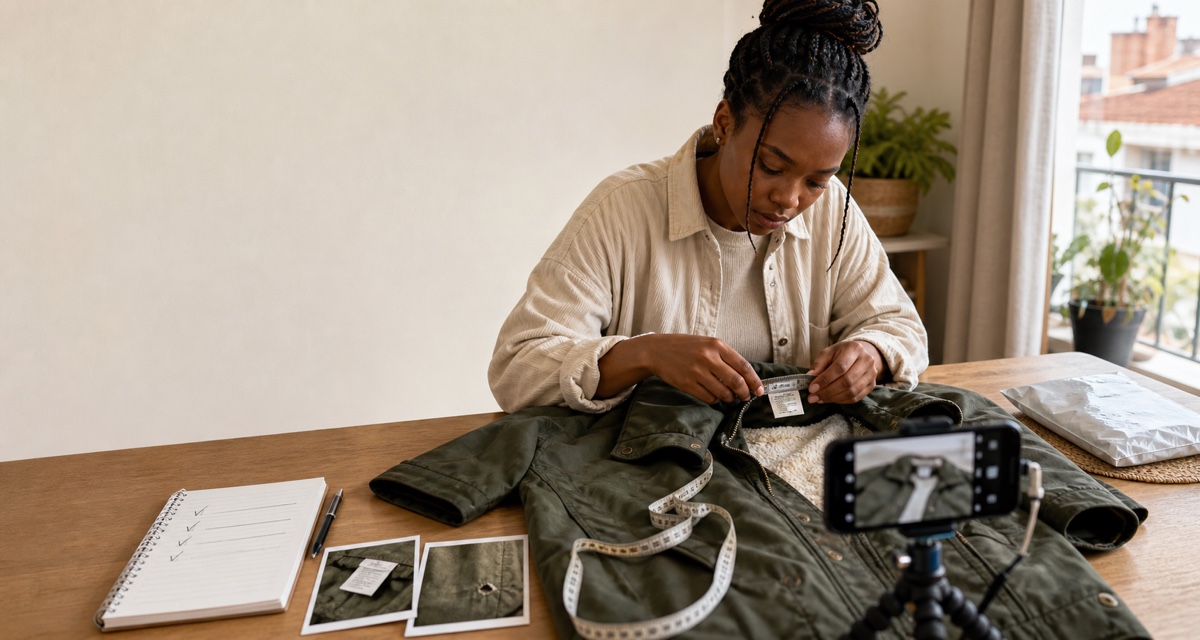
If your clothes are not selling online, do not assume the price is the only problem. First confirm that the listing is actually live. Then test, in order, whether the right buyer wants the item now, whether the cover photo earns a closer look, whether the title and attributes put it in the right searches, and whether the listing answers fit, condition and total-cost questions.
Cutting the price will not repair a draft, a coat filed under dresses or a size label with no useful measurements. Changing everything at once also hides the cause.
Start with the signal, not a guess
Use the information you can observe on your selling platform. Different platforms expose different metrics, so “views” below means the closest reliable visibility measure available to you.
| What you see | Most useful first test |
|---|---|
| The item cannot be found publicly | Confirm it was published, accepted and is still available |
| Very few relevant views | Check demand, cover image, title, category, brand and size |
| Views but almost no saves or questions | Check item appeal, condition evidence, price and buyer all-in cost |
| Saves and questions but no checkout | Answer fit and flaw questions; clarify delivery and whether the price is firm |
| Several listings went quiet together | Check account, catalogue, feed or delivery changes before editing every item |
| A Google product count fell | Identify the Search Console or Merchant Center report first; compare item IDs, states and issue reasons instead of only the headline number |
On Vakoop, a locally autosaved listing form is a draft, not a published product. A current manual listing needs a title, price, brand, category, condition, a size where relevant, at least one photo and a description before publication. Check the public listing, not only the editing screen.
1. Is there demand for this exact item now?
“Clothes” is not one market. Demand can differ by item type, cut, size, colour, fabric, brand, price and use. A lightweight linen shirt and a heavy puffer jacket do not solve the same buyer need. Neither do a plain office shirt and a limited collaboration, even when both carry the same brand.
Search the marketplace as a buyer would. Compare your item with current pieces and, where available, items marked sold that genuinely match it. Treat a sold marker as a demand clue unless the platform verifies that a checkout completed and exposes the final price. Look for:
- the same type and a similar cut;
- the same labelled size and a comparable fit;
- similar condition;
- the same or a genuinely comparable brand tier;
- a similar season or occasion; and
- a realistic South African price and delivery context.
Season is a clue, not a rule: South African cities differ and buyers shop ahead. Ask whether the item has a clear current use, such as work, an event, a holiday or seasonal layering.
If there are few close comparisons and little relevant engagement, improve how the item is presented before declaring that nobody wants it. If several well-presented, fairly priced close matches also sit unsold, weak current demand becomes a more plausible explanation.
2. Does the cover photo show the actual item clearly?
Your first image should identify the exact item quickly. Vakoop accepts one to eight photos, and the first becomes the cover.
For the cover photo:
- photograph the actual item you will send, not a retailer's stock image;
- use soft natural light and colour that remains true to life;
- show the whole item with a calm, contrasting background;
- keep the garment large enough in the frame to inspect;
- avoid a filter, flash glare, collage, price banner or watermark; and
- do not hide a flaw with posing, cropping or editing.
Use the remaining images for the back, labels, texture, fastenings, wear and flaws. A worn photo can help explain fit, but retain a clear full-item view. Retake a tiny or blurred file instead of enlarging it.
A separate Google Merchant Center check
Google's product-image rules apply to images submitted for ads and free product listings. Until 31 January 2027, the current minimum for apparel images is 250 × 250 pixels; YouTube Shopping ads served on TV already require 500 × 500. Google has announced that from 31 January 2027 the minimum will be 500 × 500 pixels across all product categories and marketing methods. Merchant Center can already show upcoming-enforcement warnings for images below 500 × 500. Supplying at least 500 × 500 now avoids building new clothing images around a minimum that is about to change, but retake a small original rather than simply enlarging it. Google also requires a crawlable supported image URL and an image that accurately shows the product; generic images, placeholders and promotional overlays can lead to a product disapproval. Read the current Google image-size fix and image_link specification before changing a feed.
This is a Merchant Center eligibility requirement, not proof that image formatting by itself caused an organic-search penalty or an unexplained product-count change. A compliant image can help one affected offer become eligible, but the reason for a changing count must be checked item by item.
3. Can the title, category and brand find the right buyer?
A useful title identifies the object. It does not stuff in every fashionable word you can think of.
Try this structure:
Brand + specific item + useful distinguishing detail + labelled size
For example: Country Road linen button-up shirt, blue, size 10 is more useful than Stunning top must go. Only include a brand, fabric, style or era that you can support from the item.
Check the structured fields separately:
- choose the narrowest truthful category available;
- select the actual brand, or the platform's unbranded option when appropriate;
- use the size shown on the label and identify the sizing system if it could be ambiguous;
- match the colour in the photo and description; and
- remove unrelated hashtags and competitor brand names.
Category and brand errors can put a good item in front of the wrong people. Repeating search terms cannot fix that mismatch, and misleading attributes can create a return or moderation problem.
4. Does the buyer have enough information to judge fit?
“Medium” is not a measurement. Labels vary across brands, years and regions, and second-hand clothing may have shrunk or been altered.
State the labelled size, then add flat garment measurements in centimetres. Vakoop has no dedicated measurement field, so use the description and, if helpful, a clear measurement photo.
Measure the garment lying flat without stretching it:
- tops and jackets: underarm to underarm, shoulder seam to shoulder seam, and shoulder or highest point to hem;
- trousers and jeans: waistband across, front rise, inside-leg seam and leg opening;
- skirts: waistband across and waistband to hem;
- dresses: underarm to underarm, waist across where defined, and shoulder or highest point to hem; and
- shoes: labelled size and the correct regional size system; only add an insole length if you can measure it accurately.
Label them as flat garment measurements. Do not silently double a width into a body circumference or promise fit. For example: “Label UK 10. Laid flat: underarm 48 cm; shoulder to hem 62 cm. Compare with a similar item you own.”
5. Are the condition and flaws concrete?
“Good condition” is a category. The description should supply the evidence.
Check the item in daylight, inside and out. Inspect underarms, collar, cuffs, hems, seams, zip, buttons, pockets and high-friction areas. State what you find: light pilling at the cuff, a 4 mm mark near the hem, a replaced button, heel wear, fading, an alteration, or no visible flaw found after inspection.
Photograph each material issue close up and include one wider image showing where it sits. Do not rely on “see photos” if the mark is difficult to locate. If colour looks different under the camera, say so and retake it in neutral light.
Clear flaws do not automatically make an item unsellable. Hidden or vague flaws make it hard for a buyer to judge value and can turn a sale into a dispute.
6. Does the buyer's all-in cost still make sense?
The seller sees an item price. The buyer may see:
accepted item price + delivery + buyer-side checkout charges
That total can change the value of a low-priced basic. A buyer may like a R90 top but decide against a one-item parcel once delivery is added. Check the live checkout and delivery method instead of relying on an old fee screenshot.
Where one parcel can contain a bundle, compatible low-value items may spread delivery across more value. Show every item and flaw, and confirm that the parcel fits the selected option.
For the item price itself, use the comparable-led method in How to price second-hand clothes in South Africa. That guide covers the calculation; duplicating it here would make this checklist less useful.
7. Is the stock stale, unavailable or still accurate?
A listing can age while the item changes. Recheck it:
- is the item still available and in the stated condition?
- was it sold, donated or listed elsewhere?
- do the measurements still match the garment?
- does the selected delivery option still work for the packed item?
- is an old promotion, season claim or “new with tags” statement still true?
Mark unavailable stock promptly. Otherwise, correct genuinely stale facts instead of repeatedly recreating the same item to chase visibility.
Change one substantial element at a time and note the date. For example, improve the cover photo and observe before also rewriting the title and cutting the price. This is a diagnostic test, not a promise that the platform will promote the item.
8. Are unanswered questions stopping a ready buyer?
Reply promptly when you reasonably can, especially to questions about measurements, condition, included parts and delivery. A short accurate answer is better than instant guessing.
Use a private measurement template for consistent answers and add repeated factual questions to the listing. Keep payment and order communication inside the marketplace's protected flow; a screenshot or direct message is not proof of a completed order.
Fast replies can reduce buyer uncertainty. They are not, by themselves, proof of an organic ranking factor, and no response time guarantees a sale.
Why can a Google product count rise and then fall?
First identify the report. Search Console's Merchant listings report is not Merchant Center's product inventory. Search Console reports a sample of detected Product structured-data items on indexed pages. Merchant Center tracks products supplied by you or found by Google and gives them separate visibility and approval states. Neither number is the same as the count of published marketplace listings.
What Vakoop's August 2026 Search Console audit found
Vakoop's remembered count near 195 was 191 valid Merchant listing items on 20 August. It rose to 233 on 21 August, then moved to 182, 165 and 163 over the next three reported days. In the related Product snippets report, valid and invalid detected items also fell together: from 288 combined items on 21 August to 185 on 24 August. The Merchant listings view itself showed zero invalid items throughout the 90-day view.
That pattern did not show 103 products becoming badly formatted. It pointed to sampling, indexing and recrawl churn in the report. The same audit found 6,798 eligible URLs in Vakoop's listing sitemap but only 163 Merchant listing items in the Search Console sample. Eleven URLs in Google's current valid export had already left the sitemap and returned 404, showing that the report lagged the live catalogue in both directions.
Google's current structured-data drop guide says report totals can move when the sample changes, indexed pages decrease, pages become inaccessible or critical markup errors appear. Its rich-result report guide also says the reports are not a comprehensive list of every detected item.
Daily uploads can affect the chart indirectly because Google discovers, crawls, indexes and reprocesses pages on its own schedule. A new listing can enter later; a sold, removed, private or otherwise unavailable listing can leave the eligible public set. Daily saving in Vakoop's form cannot enter either report because that browser draft has not been published.
If the number is in Merchant Center instead
Google can label a Merchant Center product under review, processing, approved, limited or not approved. The All products cards also separate total products, products provided by you, products found by Google and products not showing on Google. Merchant Center and the Merchant API count country-targeted products differently, so compare like with like.
Products supplied through a data source generally need a refresh within 30 days; products added directly in Merchant Center are an exception. Source updates, explicit expiry, availability changes, product removal, processing, image recrawls and landing-page or data mismatches can therefore move different counts for different reasons. Use the current visibility and status guide, product-count guide and Needs attention guide.
Diagnose it in this order:
- record the product and report name, account, date and exact card or filter;
- keep country, marketing method, source and time range the same;
- export or compare product IDs instead of comparing only headline totals;
- check each item's last update, visibility, status and exact issue reason;
- check data-source fetch or API errors, refresh age and explicit expiry;
- compare availability, price, image URL and landing-page data with the live page; and
- fix only the documented issue, then allow for processing, crawling and report delay.
The count alone cannot prove that daily uploads, saved drafts, image size or one seller's formatting caused the movement. An image warning is not a site-wide organic penalty, and a valid structured-data item is only eligible for a rich result; it is not guaranteed to appear.
A 20-minute listing repair sequence
Work in this order: confirm publication; compare close current items; fix the actual-item cover; correct title and attributes; add flat centimetre measurements; show flaws; check buyer total and price evidence; confirm stock and delivery; then record the change before testing another major variable.
Frequently asked questions
Should I delete and relist clothes that are not selling?
Diagnose it first. Correct wrong facts, replace weak images and mark unavailable stock. Recreating the same listing does not repair weak demand or a poor buyer total.
Should the price be the first thing I change?
Not when the listing is unpublished, miscategorised, unclear or missing fit information. If relevant buyers view a complete listing but do not engage, then recheck comparable prices and the all-in cost.
Can I use an AI-written title or description?
Use it as a draft. Check every attribute and claim against the item. Generated copy cannot inspect a flaw you did not show it.
Does Google punish AI-written product descriptions?
Google's guidance on generative AI content and spam policies do not impose a blanket ban on AI assistance; they focus on useful, accurate content and abuse intended to manipulate rankings. Do not mass-publish near-duplicate descriptions or invent expertise, facts and reviews. The seller remains responsible for the final listing.
How many photos should I add on Vakoop?
Vakoop currently accepts one to eight. Use only as many as help the buyer inspect the complete item, reverse, labels, texture and flaws. The first photo is the cover.
Fix the buyer's unanswered question
A strong listing reduces uncertainty. It shows the real garment, places it in the correct category, gives labelled size and usable measurements, discloses condition, and makes the likely total understandable. It also stays accurate after publication.